
KIA Niro: Parking Collision-Avoidance Assist malfunction

When Parking Collision-Avoidance Assist or other related functions are not working properly, the warning message will appear on the cluster, and Parking Collision- Avoidance Assist will turn off automatically.
Kia recommends visiting an authorized Kia dealer/service partner.
Parking Collision-Avoidance Assist disabled
Rear view camera
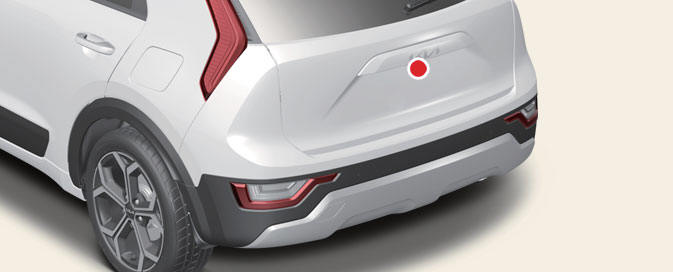
The wide angle cameras are used as detecting sensors to detect pedestrians.
If the camera lens is covered with foreign material, such as snow or rain, it may adversely affect camera performance and Parking Collision-Avoidance Assist may not operate properly. Always keep the camera lens clean.
Rear ultrasonic sensors
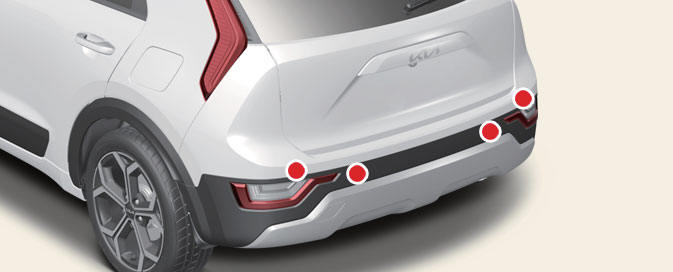
The ultrasonic sensors detect objects around the vehicle. If the sensors are covered with foreign material, such as snow or rain, it may adversely affect sensor performance and Parking Collision- Avoidance Assist may not operate properly. Always keep the rear bumper clean.
Warning message
Kia NIRO Hybrid
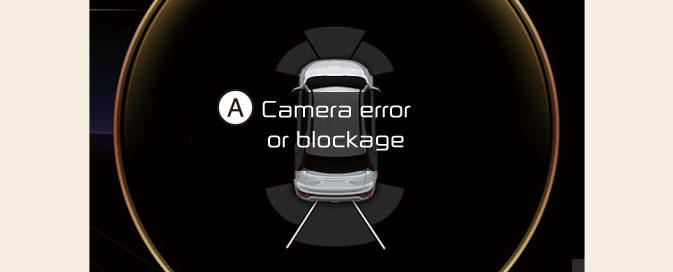
Rear view camera
Kia Niro EV
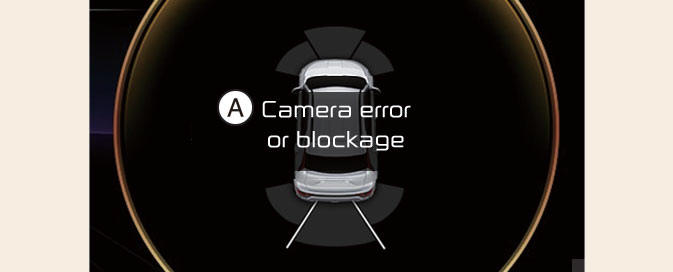
Wide-rear view camera
A: Camera error or blockage
Kia Niro EV / Hybrid
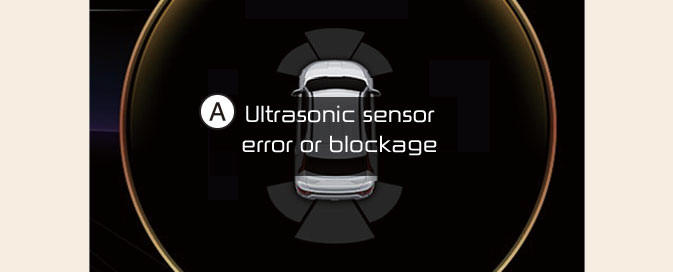
Rear ultrasonic sensors
A: Ultrasonic sensor error or blockage
The warning message will appear on the cluster if the following situations occur:
- The camera(s) or ultrasonic sensor(s) is covered with foreign material, such as snow or rain, etc.
- There is inclement weather, such as heavy snow, heavy rain, etc.
If this occurs, Parking Collision-Avoidance Assist may turn off or may not operate properly. Check whether the cameras and ultrasonic sensors are clean.
READ NEXT:
 Limitations of Parking Collision- Avoidance Assist
Parking Collision-Avoidance Assist may
not assist braking or warn the driver
even if there are pedestrians or objects
under the following circumstances:
There is a problem with the vehicle
Any non-factory equipment or accessory
is installe
Remote Smart Parking Assist settings
Remote Smart Parking Assist uses vehicle
sensors to help the driver park and
exit parking spaces remotely from outside
the vehicle by controlling the steering
wheel, vehicle speed and gearshifts.
Remote Operation function may be
operate
SEE MORE:
Power outlet
The power outlet allows drivers and passengers
to charge their digital devices
such as smart phones and tablets.
Operating condition(s)
The devices should draw less than 15
A when The vehicle is in the ON position.
WARNING
Use the
Front Stabilizer Bar
Front Stabilizer Bar Components and components location
Stabilizer bar
Stabilizer link
Front Stabilizer Bar Repair procedures
Removal
Disconnect the battery negative cable.
Remove the universal bolt (A).
Tightening torque :
32
Categories
- Home
- KIA Niro EV, Hybrid - Second generation - (SG2) (2021-2024) - Owner's manual
- Kia Niro - First generation - (DE) (2017-2022) - Service and Repair Manual
- Contact Us
