
KIA Niro: Power Window Motor
Power Window Motor Components and components location
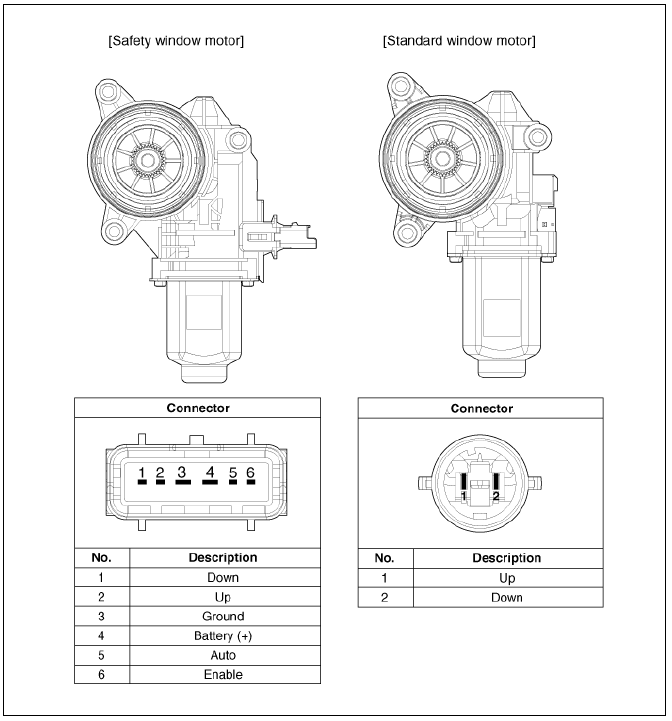
Power Window Motor Schematic diagrams
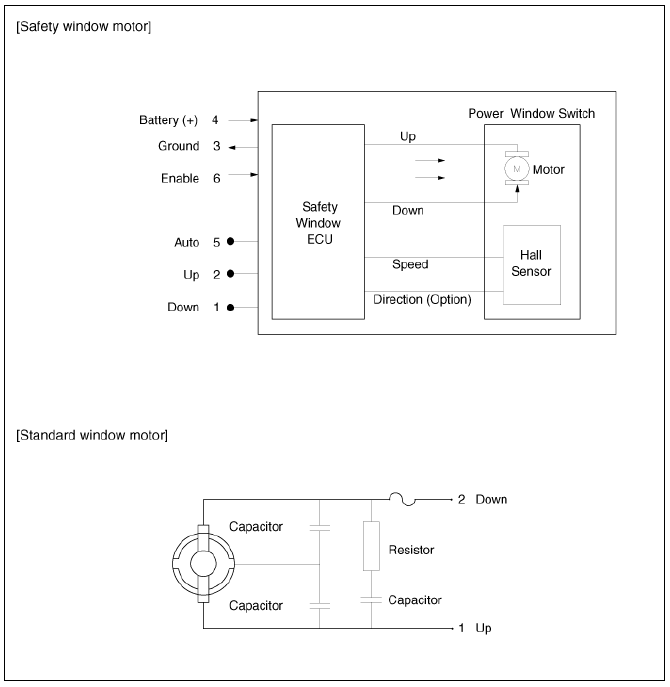
Power Window Motor Repair procedures
Inspection
Front Power Window Motor
- Remove the front door trim.
(Refer to Body - "Front Door Trim")
- Disconnect the motor connector (A) from the motor.
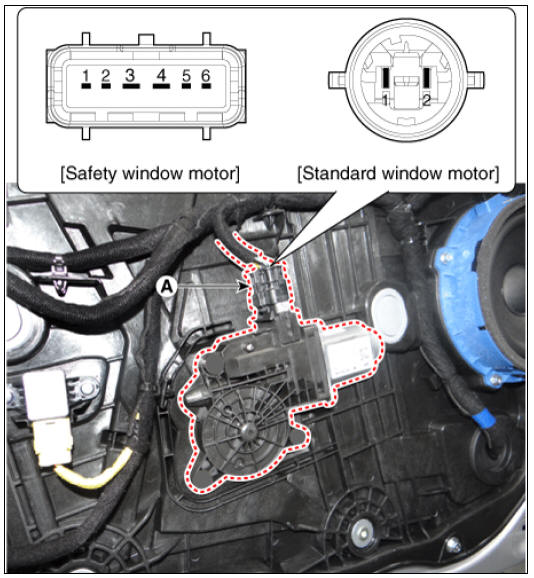
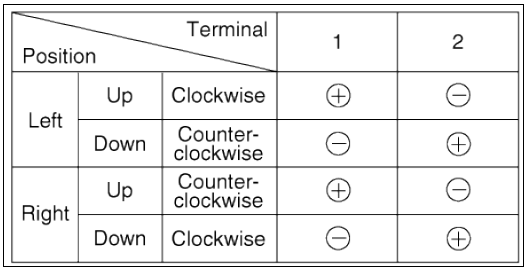
- Connect the terminal No.2 and No.1 to battery voltage (12V) and check that the motor operates smoothly when connecting the terminals below.
Safety Window Motor
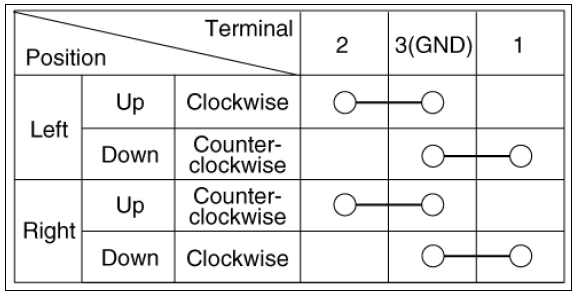
- Connect the motor terminals directly to battery voltage (12V) and check that the motor operates smoothly. Next, reverse the polarity and check that the motor operates smoothly in the reverse direction. If the operation is abnormal, replace the motor.
Standard Window Motor
Rear Power Window Motor
- Remove the rear door trim.
(Refer to Body - "Rear Door Trim")
- Disconnect the motor connector (A) from the motor.
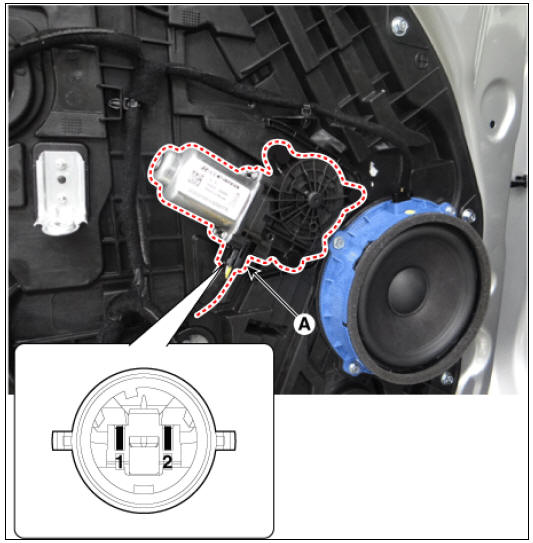
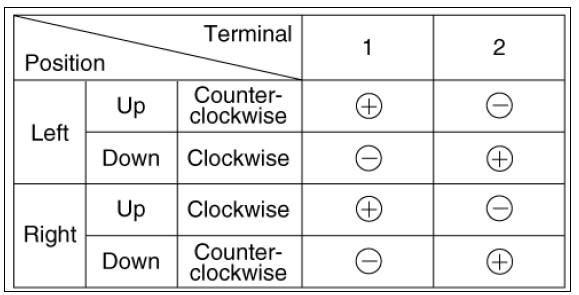
- Connect the motor terminals No.1 and No.2 directly to battery voltage
(12V) and check that the
motor operates smoothly.
If the operation is abnormal, replace the motor.
Removal
Front Power Window Motor
- Remove the front door trim.
(Refer to Body - "Front Door Trim")
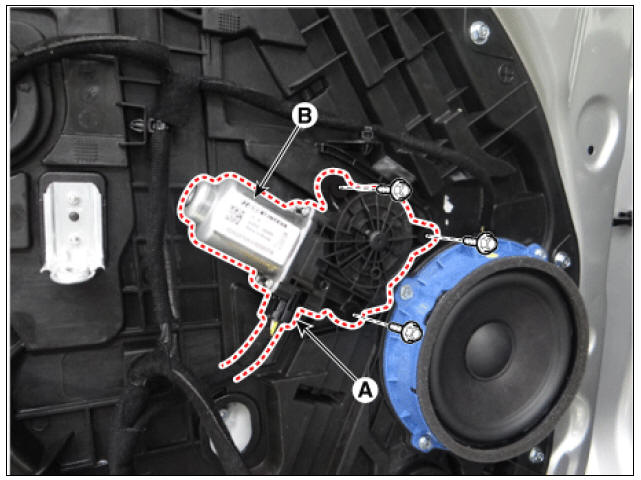
- After disconnecting the motor connector (A), remove the power window motor (B) by loosening the bolts.
Rear Power Window Motor
- Remove the rear door trim.
(Refer to Body - "Rear Door Trim")
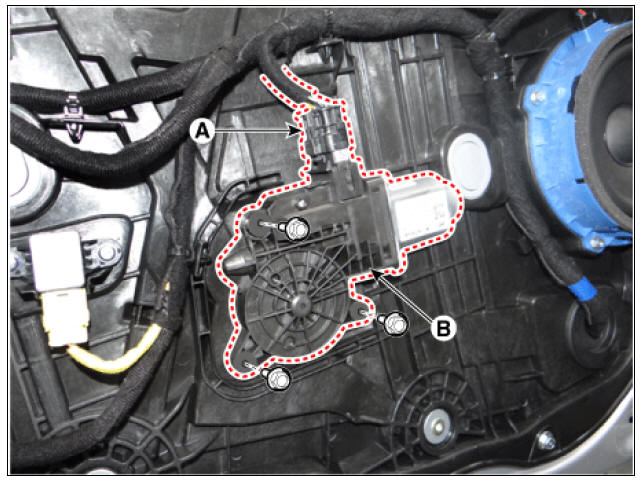
- After disconnecting the motor connector (A), remove the power window motor (B) by loosening the bolts.
Installation
- Install in the reverse order of removal.
READ NEXT:
 Power Window Switch
Power Window Switch Components and components location
Power Window Main Switch
Non-IMS type
IMS type (DDM : Driver Door Module)
Assist Power Window Switch
Non-IMS type
IMS type (ADM : Assist Door Module)
Rear Glass Defogger
Rear Glass Defogger / Components And Components Location
Body control module (BCM)
Rear glass defogger switch
Rear glass defogger
Rear Glass Defogger Printed Heater Repair
Inspection
Warning
Wrap tin foil around the end of the volt
SEE MORE:
Power outlet
The power outlet allows drivers and passengers
to charge their digital devices
such as smart phones and tablets.
Operating condition(s)
The devices should draw less than 15
A when The vehicle is in the ON position.
WARNING
Use the
Crash Pad Side Cover
Crash Pad Side Cover Components and components location
LH
Crash pad side cover (LH)
RH
Crash pad side cover (RH)
Crash Pad Side Cover Repair procedures
Replacement
Warning
Put on gloves to protect your hands.
Warning
U
Categories
- Home
- KIA Niro EV, Hybrid - Second generation - (SG2) (2021-2024) - Owner's manual
- Kia Niro - First generation - (DE) (2017-2022) - Service and Repair Manual
- Contact Us
