
KIA Niro: Fuel Pump Motor Repair procedures
Kia Niro - First generation - (DE) (2017-2022) - Service and Repair Manual / Engine Control / Fuel System / Fuel Delivery System / Fuel Pump Motor Repair procedures
Removal
- Remove the fuel pump.
(Refer to Fuel Delivery System - "Fuel Pump")
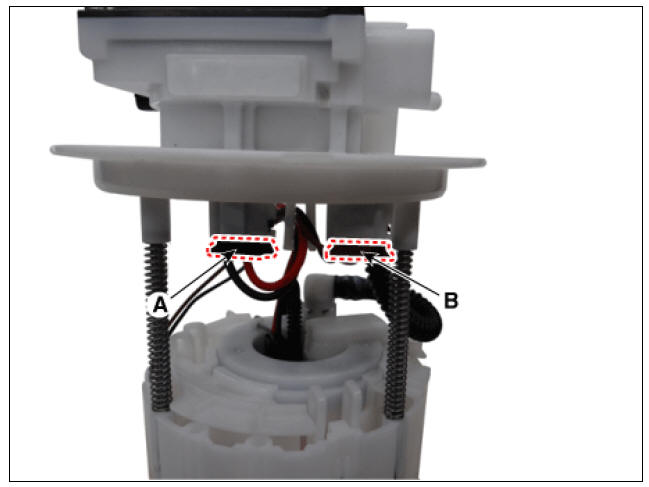
- Disconnect the fuel pump motor connector (A) and fuel sender connector (B).
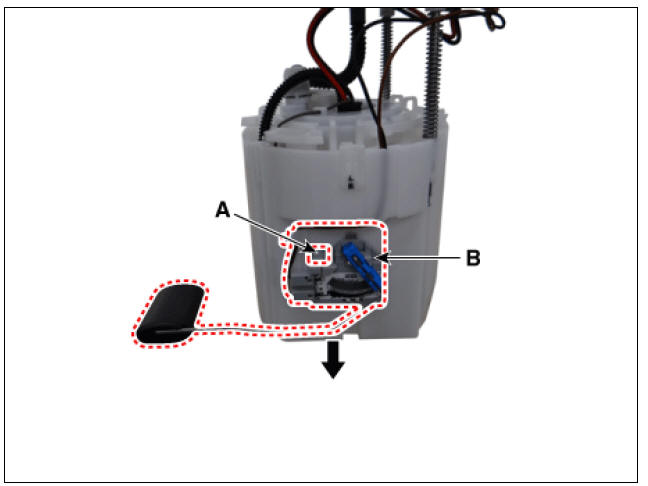
- Lift the fixing hook (A) by using a common driver, and then remove the fuel sender (B).
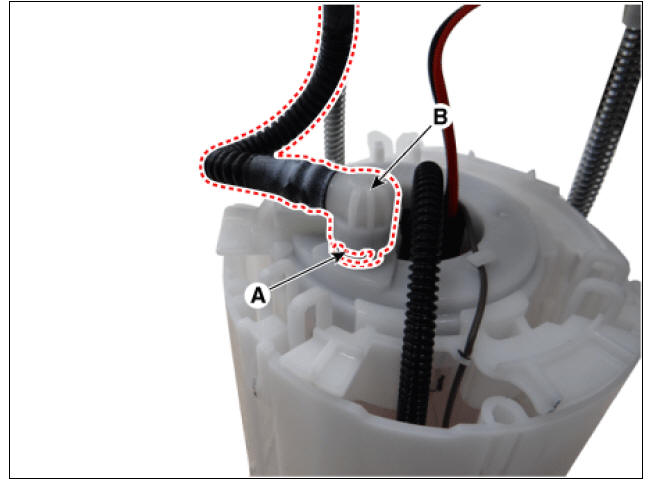
- Remove the fixing clip (A), and then disconnect the feed tube (B).
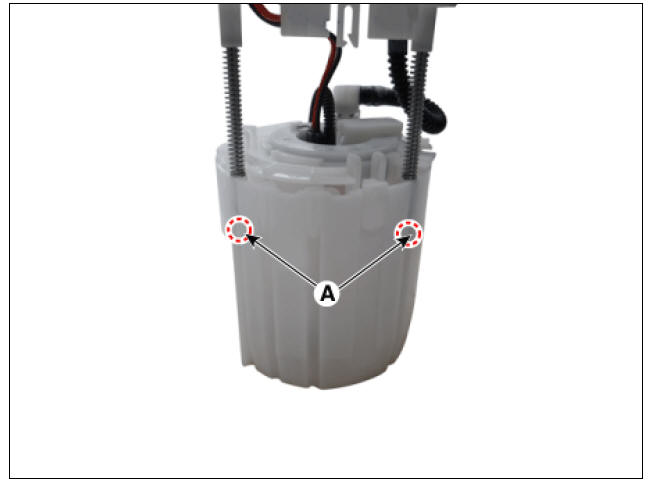
- Remove the head assembly after releasing the cushion fixing clip (A).
- Remove the reservoir-cup (B) after releasing the fixing hook (A).
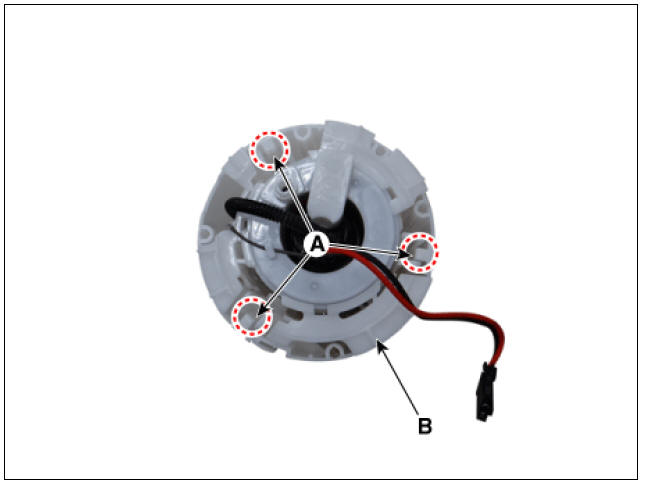
- Disconnect the ground line (A).
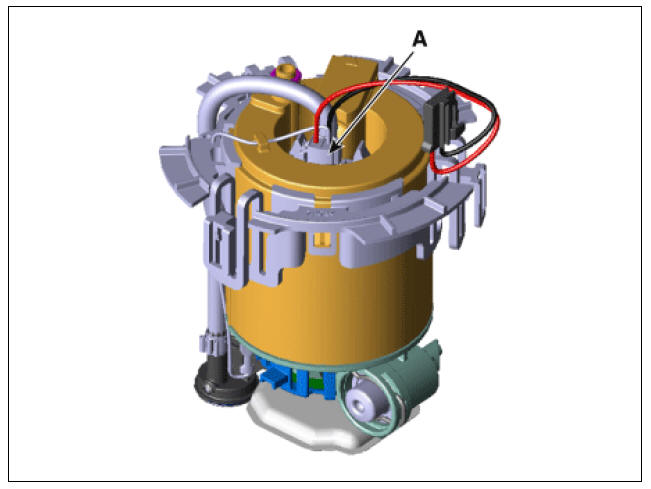
- Disconnect the fuel pump motor connector (A).
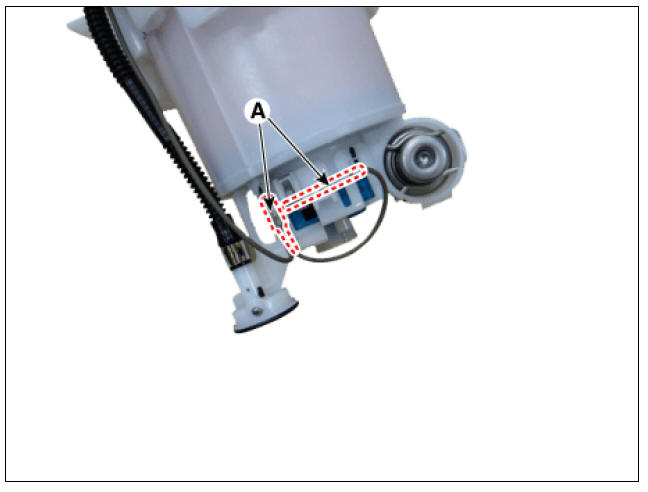
- Remove the fuel pressure regulator (B) after releasing the fixing hook (A).
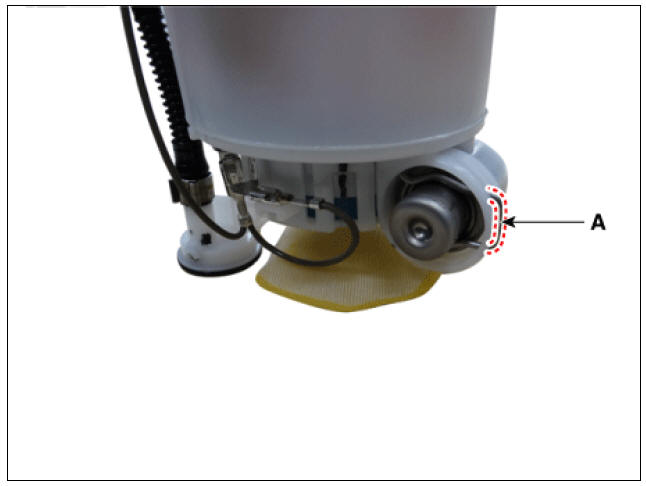
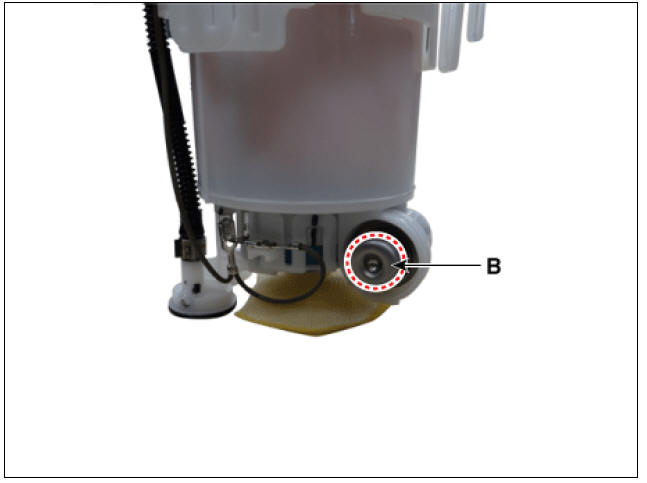
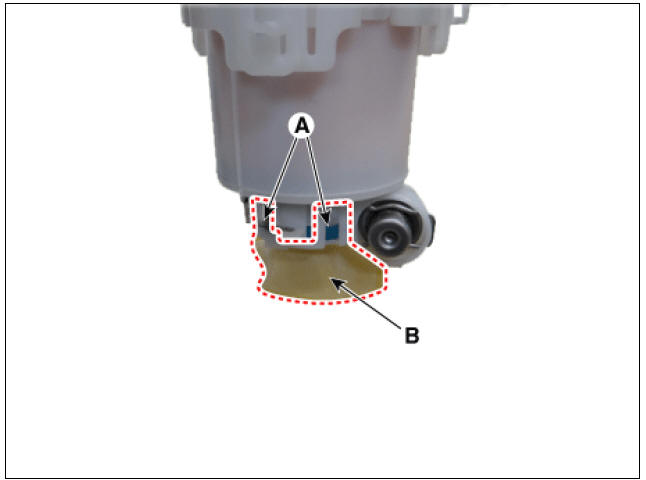
- Remove the pre-filter (B) after releasing the fixing hooks (A).
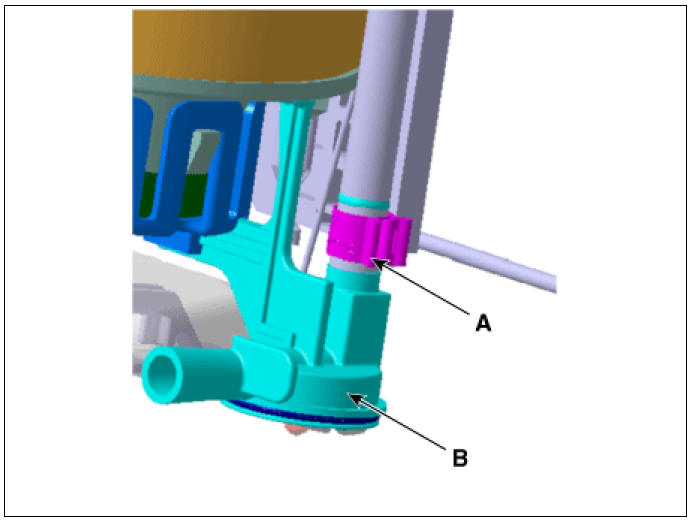
- Remove the fixing clip (A), and then assist pump assembly (B).
Warning
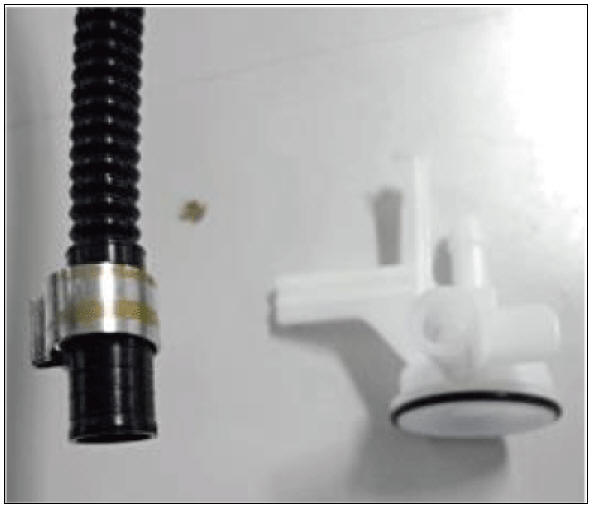
1) Unhook the clip (A,B) by using an awl (C).
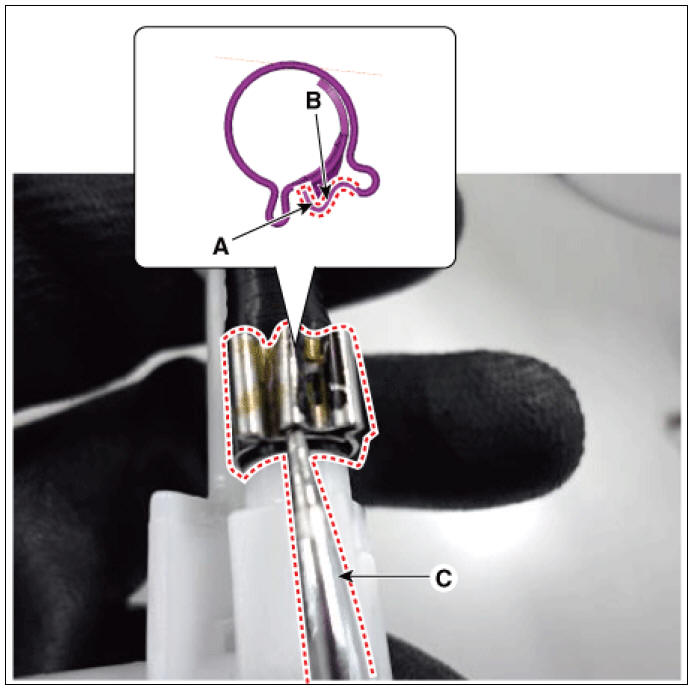
2) Separate the tube (A) with the assist pump (B) by pulling it
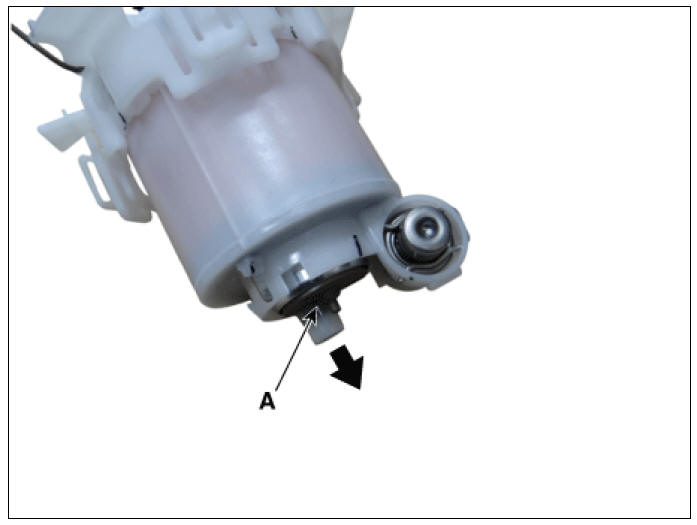
- Remove the fuel pump motor (A) from the fuel filter by pulling it downward.
Installtion
Warning
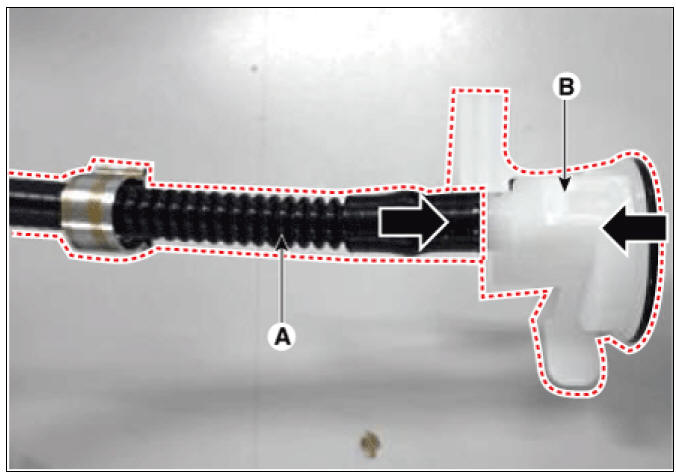
1) Put the tube (A) into the assist pump (B).
2) Put the clip (A) on the joint.
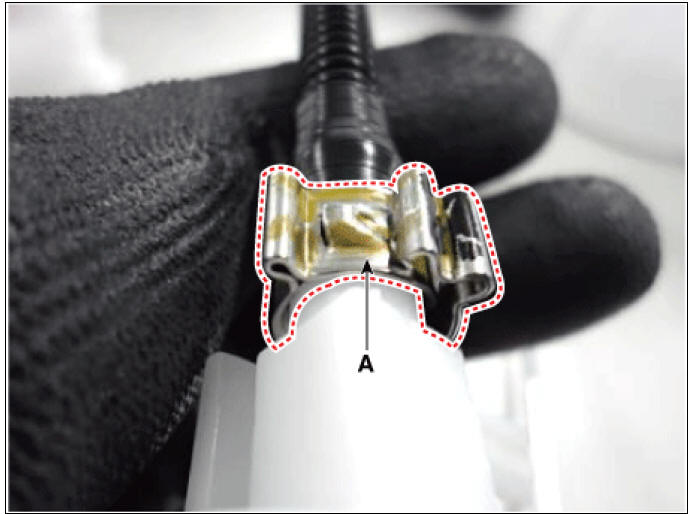
3) Hook the clip (B,C) by using plier (A).
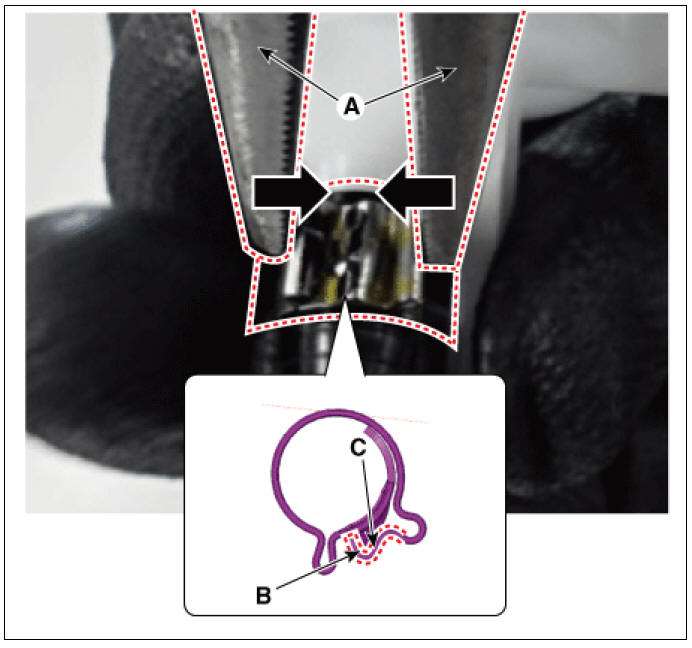
4) Fix the clip (A). 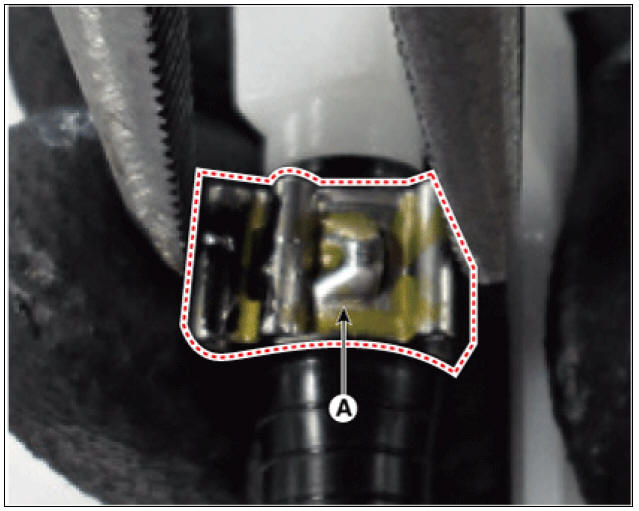
READ NEXT:
 Fuel Sender Repair procedures
Removal
Remove the fuel pump.
(Refer to Fuel Delivery System - "Fuel Pump")
Disconnect the fuel sender connector (A).
Lift the fixing hook (A) by using a common driver, and then remove the
fuel sender (B).
Fuel Pressure Regulator Repair procedures | Fuel Line Repair procedures
Removal
Remove the fuel pump.
(Refer to Fuel Delivery System - "Fuel Pump")
Disconnect the fuel pump motor connector (A) and fuel sender connector (B).
Lift the fixing hook (A) by using a comm
SEE MORE:
Front Wheel Speed Sensor
Front Wheel Speed Sensor Components and components location
Front wheel speed sensor
Front wheel speed sensor cable
Front Wheel Speed Sensor Repair procedures
Removal
Remove the tire.
Tightening torque:
107.9 - 127.5 N*m (11.0 -
Intake Actuator
Intake Actuator Components and components location
Intake actuator
Description
Located in the blower unit, the intake actuator regulates the intake door
based on the signal from the
control unit. Pressing the intake selection switch wi
Categories
- Home
- KIA Niro EV, Hybrid - Second generation - (SG2) (2021-2024) - Owner's manual
- Kia Niro - First generation - (DE) (2017-2022) - Service and Repair Manual
- Contact Us
